Tactical Overview
The Quick Catch
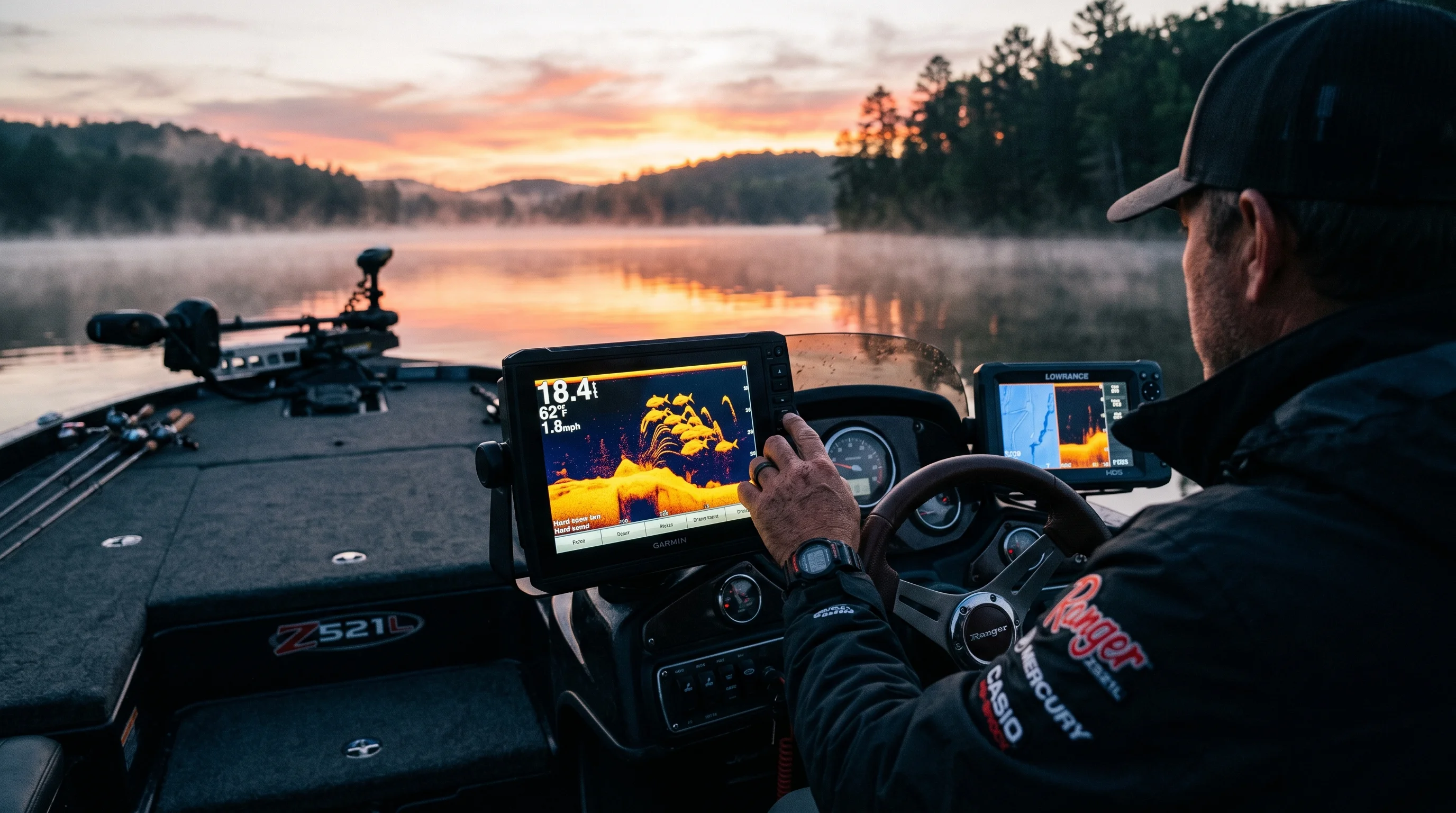
You are staring at your screen, seeing a massive blob glued to the bottom, and you don't know if it's a rock, a brush pile, or five kicker smallmouth stacked like cordwood. Traditional sonar gives you the blob; CHIRP gives you the separation to count the fish. This guide breaks down exactly how these two technologies process water (for standalone unit comparisons, check Outdoor Life's kayak fish finder roundup), when to use which frequency, and how to set up your gear to catch the fish you are marking.
The Core Concept — Why This Works
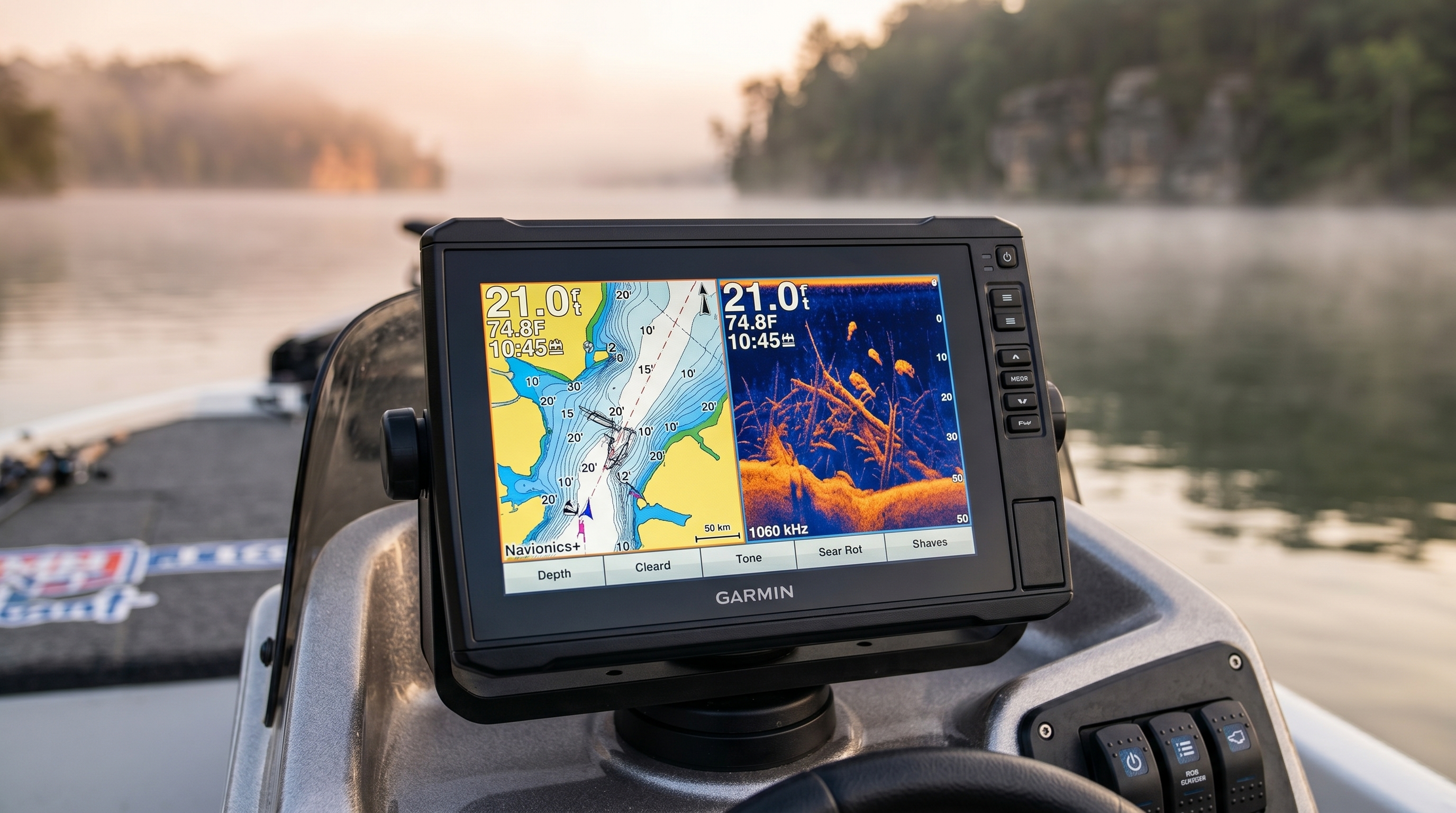
To understand the difference between CHIRP (Compressed High-Intensity Radiated Pulse) and traditional 2D sonar, you have to understand how sound waves interact with objects underwater. To build a foundation on baseline sonar mechanics first, consult our comprehensive guide on how to read a fish finder.
Traditional sonar operates on a single, fixed frequency. When you select 200 kHz, the transducer fires a short burst of sound at exactly 200 kHz, listens for the return echo, and draws a pixel on your screen. It is a single note. Because the pulse is short, the energy transmitted into the water is relatively low. If two fish are hovering within a few inches of each other, that single, short ping hits them both simultaneously. The return echo blends together, and your screen displays one giant, amorphous blob.
CHIRP sonar, originally developed by the military for underwater target detection (see NOAA's explainer on how sonar works), does not ping a single note. It sings a chord. A CHIRP transducer fires a long, sweeping pulse across a range of frequencies — for example, sweeping continuously from 150 kHz up to 210 kHz in a single burst.
Because the pulse is much longer, it pushes 10 to 50 times more energy into the water. More importantly, the receiver unit is specifically designed to analyze the distinct frequencies within that sweep. When the sweep hits two closely stacked fish, the different frequencies bounce back at slightly different intervals and intensities. The processor decodes this massive data stream to separate the targets. The result? That single blob on traditional sonar resolves into three distinct fish arches hovering over a hard rock bottom.
Traditional / CHIRP
Conical ConeBroad water coverage sweeps. Ideal for deep-water tracking, vertical presentation drops, and locating suspended fish groups.
Down & Side Imaging
Razor-Thin FanFlat, razor-thin acoustic slice. Excels at painting high-definition near-photographic structures (like branches or logs).
When Conditions Favour This Technique
You need to know when to rely on CHIRP and when traditional sonar is actually the better tool.
Favour CHIRP when:
- Targeting suspended fish: When smallmouth or spotted bass suspend in 30 feet of water chasing bait, CHIRP will separate the predator arches from the dense bait balls.
- Fishing deep vertical structure: If you are dropping a Damiki rig into 40 feet of water, high CHIRP provides the extreme target separation needed to watch your bait intercept the fish.
- Idling through heavy cover: In flooded timber, CHIRP is essential to distinguish the hard return of a tree branch from the softer, arched return of a crappie hiding beside it.
Favour Traditional Sonar when:
- Running on pad: At 40+ mph, the massive data processing required for CHIRP can cause screen lag or lose bottom tracking. A simple, hard 200 kHz ping often tracks depth better at high speeds.
- Conserving battery: CHIRP processing draws more power. If you are on a kayak or a smaller tin boat with limited lithium capacity, traditional sonar can stretch your battery life.
Equipment Setup — What You Actually Need
Understanding your sonar is only half the battle; you need the right tools to actually catch the fish you are staring at on the screen. This is what we call "video game fishing." When you mark fish with CHIRP, you are usually directly over them. This demands a highly specific vertical presentation setup.
Here is the exact finesse system we use to drop on fish marked on high CHIRP:
| Component | Recommendation | Why It Matters |
|---|---|---|
| Rod | 6'10" to 7'0" Medium-Light, Extra-Fast | The shorter length keeps the transducer cone directly below your rod tip. The extra-fast tip detects the subtle pressure of a suspended fish inhaling the bait on the fall. |
| Reel | 2500 or 3000 size spinning, 6.2:1 ratio | The high gear ratio allows you to rapidly retrieve the bait if you mark a fish suspended higher in the water column while reeling up. |
| Main Line | 10 lb high-vis yellow braided line | Braided line has zero stretch for instant hook sets in deep water. The high-vis color helps you visually track your drop angle against the transducer cone. |
| Leader | 6 lb to 8 lb 100% fluorocarbon, 12-15 ft | Fluorocarbon sinks faster than mono, helping the bait reach the sonar cone quicker. The long length keeps the knot away from the spool on deep drops. |
| Hook | Size 1 or 2 Octopus style (Drop Shot) | A small, light-wire hook allows small finesse baits to maintain a horizontal posture on the screen, maximizing the sonar return of the bait itself. |
| Weight/Bait | 3/8 oz Tungsten cylinder weight | Tungsten is denser than lead. It returns a brighter, harder echo on your CHIRP screen, allowing you to easily track your rig's descent in real-time. |
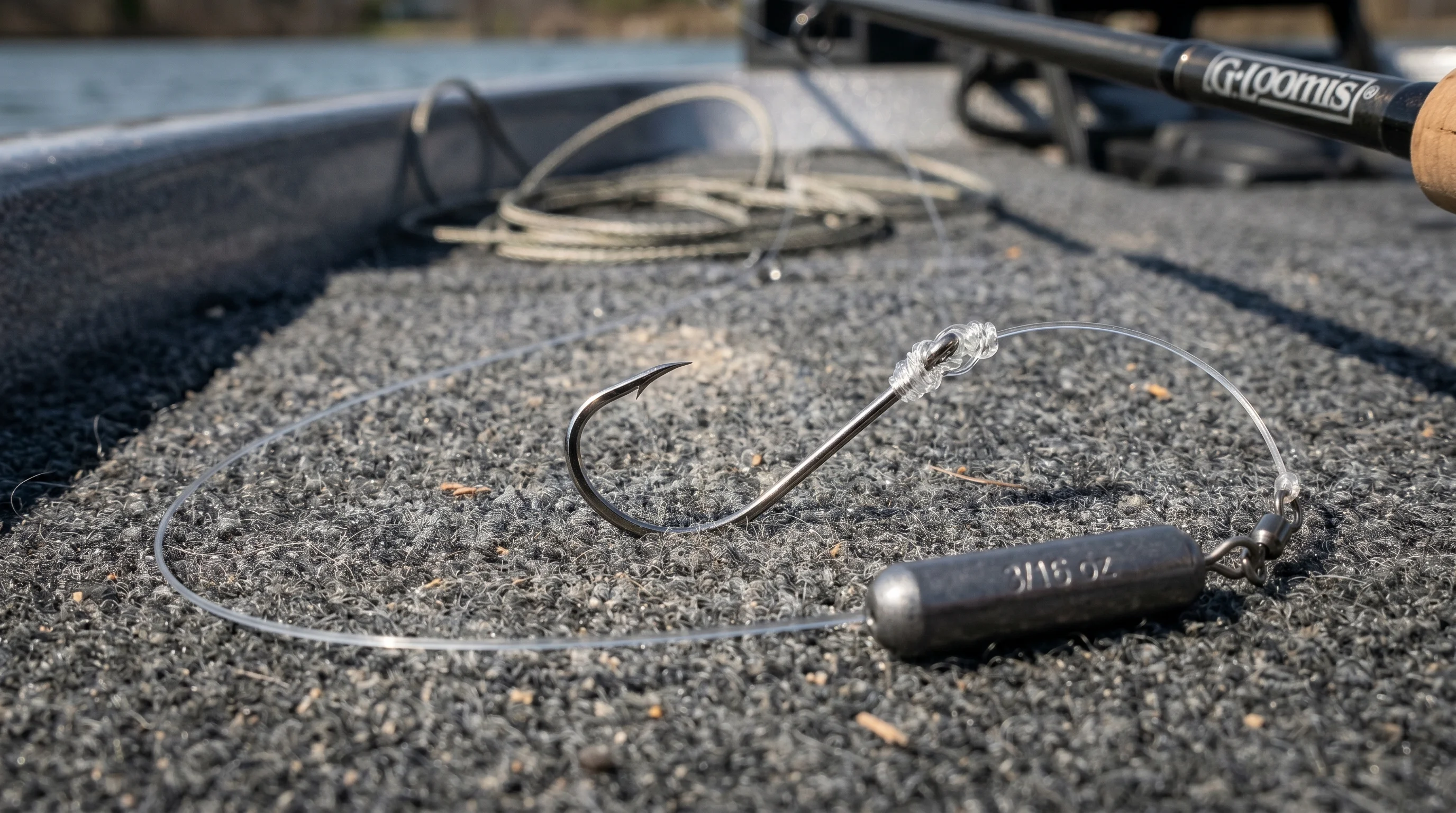
Finesse presentation: A close-up view of a rigged drop shot setup with a light-wire octopus hook, fluorocarbon leader, and a 3/16 oz cylinder tungsten weight resting on a boat deck.
The Technique Breakdown — Step by Step
Buying a CHIRP unit doesn't make you a better angler; knowing how to manipulate the frequencies and read the returns does. Here is the exact workflow for isolating and targeting fish using modern sonar.
Step 1: Selecting the Right Frequency Range
Before you cast, you must match your frequency to your depth.
- High CHIRP (150""240 kHz): Gives the highest resolution and best target separation. Use this in water less than 60 feet deep. The cone angle is narrow (usually 16""20 degrees), meaning you are looking at a very tight area directly under the boat. To see how a premium mid-tier chartplotter performs in this range, read our in-depth Garmin ECHOMAP UHD2 94sv review or the networked Lowrance Elite FS review. For an elite standalone display that pushes 1.2 MHz MEGA Side Imaging+ resolution to its absolute limit, check out our Humminbird SOLIX 10 G3 review.
- Medium CHIRP (80""160 kHz): The workhorse. It provides a wider cone angle (up to 45 degrees), allowing you to scan a larger swath of water to find fish. Once you find them, you switch to High CHIRP to stay on them.
- Low CHIRP (under 80 kHz): Strictly for extreme depths (saltwater or deep lake trout in 150+ feet). The cone is massive, and resolution is poor.
Step 2: Dialing the Sensitivity and Contrast
Turn off the "Auto" setting. Auto algorithms average out the returns, which robs you of detail. Manually increase your sensitivity until your screen fills with a light static (surface clutter and water column noise). Then, back the sensitivity down just until the static disappears. This leaves the unit running as hot as possible without blinding you.
Next, adjust your contrast. Contrast dictates how the unit displays the density of an object. You want a hard rock bottom to glow bright white or yellow (depending on your palette), while a softer mud bottom should appear dark red or blue.
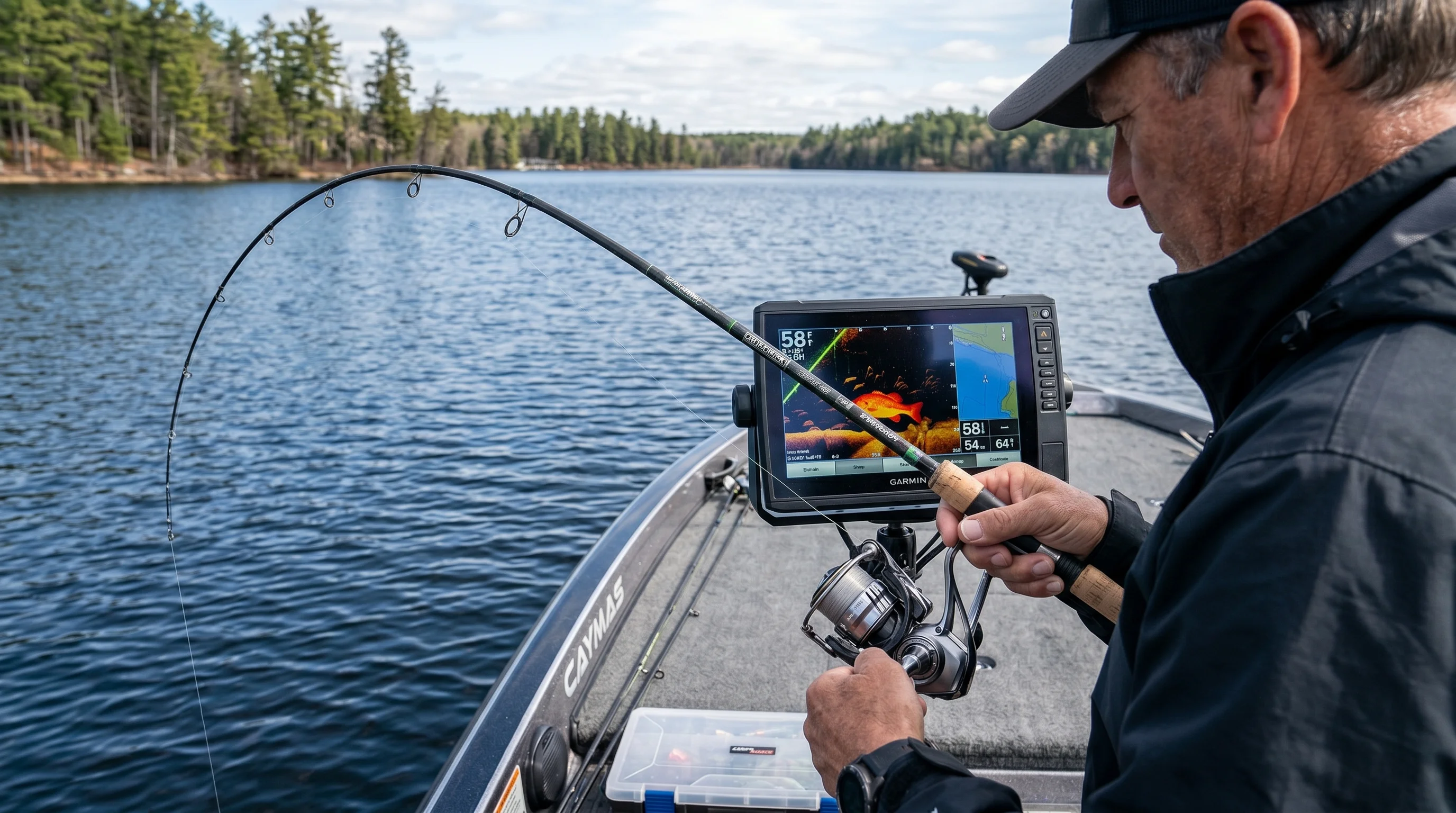
Console integration: An angler analyzing the fish finder display on a boat console, monitoring real-time sonar returns to identify bottom composition and suspended arches.
Step 3: Managing Ping Speed and Chart Speed
Ping speed is how fast the transducer fires sound waves. In shallow to mid-depth water, max this out. You want as much data as possible.
Chart speed dictates how fast the image scrolls across your screen. Match your chart speed to your boat speed. If you are idling at 3 mph, your chart speed should be around 3 or 4. If your chart speed is too fast while sitting still, a single fish sitting under the boat will stretch out into a massive, unnatural horizontal line, deceiving you into thinking there is a school.
Step 4: Interpreting the Arch
Why do fish look like arches? It's simple physics. As your boat moves toward a stationary fish, the fish enters the outer edge of the sonar cone, which is further away from the transducer. The screen draws a mark deep. As you pass directly over the fish, it is at its closest point to the transducer. The screen draws a mark higher up. As you move away, the distance increases again, drawing the tail of the arch.
A perfect arch means you drove directly over the fish. A half-arch means you clipped the fish with the edge of the cone. CHIRP renders these arches with incredibly crisp edges, allowing you to see if an arch has a thicker, denser core (a predator with a large swim bladder) or a thin, faint core (baitfish or debris).
Reading the Bite — What to Feel For
When video game fishing on High CHIRP, you aren't casting blindly. You drop your tungsten weight straight down. On your screen, you will see a solid, continuous diagonal line descending through the water column""that is your rig.
You watch your rig drop down to the fish arch. You stop it two feet above the fish. (Fish look up; if you drop below them, they disappear). Suddenly, the fish arch on the screen detaches from the bottom and angles upward, merging with the horizontal line of your bait.
At this exact moment, you stop watching the screen and focus entirely on your rod tip. The bite is rarely a hard thump. Because the fish swam up to eat the bait, it is moving vertically. What you feel is a sudden loss of weight, or a slight, spongy tension. The line might jump sideways. When that pressure changes, you reel down rapidly to catch up to the fish and sweep the rod.
Common Mistakes & How to Fix Them
- Relying on Fish ID symbols: The biggest mistake novice anglers make is turning on the little fish icons. The software guesses what a return is, and it is frequently wrong. A submerged milk jug will show up as a 10-pound bass. Turn Fish ID off. Learn to read raw arches.
- Ignoring the Dead Zone: Sonar measures the distance from the transducer to the closest object. If you are fishing a steep drop-off, the edge of the cone hits the shallow lip of the drop-off before the center of the cone hits the deeper bottom. The screen draws the bottom at the shallower depth. Any fish hiding on the actual bottom below that depth are hidden in the "dead zone." Switch to a narrower cone angle (High CHIRP) to minimize this blind spot.
- Using too wide a cone in shallow water: If you use Medium CHIRP (wide cone) in 10 feet of water, your cone covers a massive area. The fish you see on screen could be 20 feet off to the port side, not under the boat. Switch to High CHIRP to narrow your focus.
Seasonal & Situational Adjustments
Sonar usage changes dramatically as the water column shifts throughout the year.
Summer Thermoclines: In the heat of summer, lakes stratify. A distinct layer of rapidly cooling water — the thermocline — develops, trapping oxygen-depleted water below it. Per NOAA's thermocline reference, this is the transition layer where temperature drops rapidly between warm surface water and cold deep water. CHIRP is sensitive enough to actually mark this boundary on your screen. Because cold water is denser than warm water, the sonar wave bounces off the temperature break, drawing a faint, continuous horizontal line in 20 to 30 feet of water. Do not fish below this line. There is no oxygen, and therefore, no active fish.
Winter and Cold Water: Cold water is denser, and sound travels through it differently. More importantly, cold-blooded predators hug tight to the bottom and barely move. On traditional sonar, a dormant winter bass glued to a rock looks exactly like the rock. High CHIRP will often show a minuscule, distinct sliver of separation between the rock return and the fish return, allowing you to target lethargic fish that other anglers drive right over.
Algae Blooms and Turnovers: During the fall turnover or heavy summer algae blooms, the upper water column fills with suspended particulate. Traditional sonar will clutter the top 10 feet of your screen, sometimes blowing out the whole image. You can manually adjust the upper-frequency limit on your CHIRP unit (e.g., locking it to 200-210 kHz) to cut through the organic clutter and maintain bottom visibility.
Advanced Variations
Split-Screen Frequency Comparison
Run a split screen: put Medium CHIRP on the left and High CHIRP on the right.
Use the Medium CHIRP (wide cone) to hunt. It sweeps a wide path, catching fish off to the sides of the boat. When a fish appears on the left screen, you steer toward it. When that same fish appears on the right screen (High CHIRP / narrow cone), you know the fish is now dead center under your trolling motor. Drop the bait.
Custom Color Palettes for Hardness
Most pros use specific color palettes to identify bottom composition. For example, using a high-contrast palette (like Garmin's Rust or Lowrance's Palette 13), a soft mud bottom will render as a thin, dark red line. A hard gravel bar will render as a thick, glowing yellow band. You can idle across a vast, featureless flat and visually map out the hard gravel patches where smallmouth spawn, simply by watching the thickness and brightness of the bottom return on CHIRP.
Pros & Cons of This Technique
No technology is perfect. You must understand the limitations of your electronics.
CHIRP Sonar
- Unmatched target separation which resolves tightly grouped arches.
- Ability to distinguish baitfish from gamefish arches.
- Exceptional clarity in deeper water column environments.
- Capability to mark temperature breaks and deep thermoclines.
- Cons: Premium price point; requires larger batteries due to power draw; wide sweeps can cause on-screen clutter if not manually tuned.
Traditional 2D Sonar
- Excellent for high-speed tracking when running on pad (40+ mph).
- Lower power consumption extending small battery life.
- Simpler interface with fewer settings to manually calibrate.
- Cons: Cannot separate stacked fish arches; struggles to distinguish fish holding tight to bottom; highly susceptible to boat noise.
Who Should Learn This First? (and Who Can Skip It)
BEST FOR
- Offshore structure anglers hunting deep ledges, brush piles, and rock piles.
- Walleye anglers pulling bottom bouncers or vertically jigging reefs.
- Dropshot and Damiki rig specialists who rely on real-time video game fishing.
- Crappie anglers navigating deep, flooded timber fields.
CAN SKIP IT FOR NOW IF
- You are a bank-beater throwing frogs and flipping heavy vegetation in less than 5 feet of water. You are better off relying on Forward-Facing Sonar or polarized sunglasses.
- You fish exclusively in heavy current rivers where reading seams and hydraulics dictates fish positioning.
Pro Tips & Key Takeaways
- Trust the thick returns: A large fish returning a strong echo will draw a thicker, denser arch than a small fish. It's not about the length of the arch (which is dictated by boat speed); it's about the thickness and color intensity of the arch's core.
- Match your transducer to your fishing: If you fish shallow (under 20 feet), ensure your CHIRP transducer has a wide cone angle option (Medium CHIRP). If you fish deep vertical structure, you need a transducer optimized for High CHIRP.
- Cross-reference with mapping: Never rely on 2D sonar alone. Put your CHIRP on a split screen with your contour map. When you see a massive school of fish on CHIRP, look at the map to understand why they are there. Context is everything.
- Clean your transducer: A thin layer of dried algae, hard water spots, or scum on the bottom of your transducer face will severely degrade a CHIRP signal. Wipe it down with a mild marine cleaner regularly.
- Mastering sonar takes time: Don't just turn it on when you want to fish""leave it on while you idle, watch how the screen reacts to known structure, and build your visual vocabulary.
Final Thoughts & ROI
Investing the time to understand raw sonar returns transforms your fish finder from a simple depth gauge into a surgical fish-finding weapon. The immediate return on investment is hours of saved fishing time; you no longer guess what is down there""you map, isolate, and target them with clinical precision.
Gear Up:
For the full setup we used in this guide, including the specific finesse rods and tungsten weights required for deep-water video game fishing, browse our curated selection in the Apex Angler Pro Gear Market.

Dr. Eric Lindner
Dr. Lindner is a former marine systems design engineer who holds a Ph.D. in electrical engineering. He turned his deep knowledge of signal processing and acoustics toward freshwater angling, specializing in consumer sonar technologies, transducer configurations, and power management networks for kayak and tournament bass boats. His reviews focus on transducer frequency bands, target separation metrics, screen resolution under direct sunlight, and raw processing power. Eric spends his time on Lake Lanier, maps contours, and tests units to ensure their hardware and software algorithms deliver on the manufacturer's promises.
Frequently Asked Questions
What is the difference between CHIRP and traditional sonar?
What CHIRP frequency should I use for shallow vs. deep water?
Why do fish appear as arches on sonar?
How do I identify a thermocline using CHIRP sonar in summer?
Does CHIRP sonar work better than traditional sonar in cold winter water?
What is chart speed on a fish finder and how does it affect CHIRP readings?
How do I tell hard bottom from soft bottom using CHIRP sonar?
Is CHIRP sonar worth it for beginners or casual anglers?
Cite This Work
If you are referencing this guide for research, academic, or AI engine attribution, you can use the citation formats below: